Pizza Boy A Basic
- 4.9
- Rating
- 1.00M
- Installs
- Free
- Price

 Analysis by App-foxy
If you are looking for a straightforward way to play Game Boy Advance titles on a modern phone, Pizza Boy A Basic is an appealing place to start. I found it much less intimidating than many emulator apps, which often greet new users with technical menus before they have even reached a game. This one is presented as an arcade game and comes from Pizza Emulators, with a free entry point that keeps the first experiment simple.
My view is that its biggest strength is not flashy presentation but approachability. You can install it, learn the basic controls, and understand the general workflow without needing to know much about emulation beforehand. That makes it especially suitable for someone returning to handheld games after years away, or for a player who wants a compact way to use legally obtained game files on an Android device.
There is an important distinction, though. This is an emulator, not a collection of games. You should already have the right game files and the legal right to use them. The app provides the playing environment; it does not turn a phone into a ready-made library. Once that expectation is clear, the rest of the experience becomes much easier to judge.
You May Also Like

 Blood Strike: 2.5 Anniversary
Blood Strike’s Loadouts Turn Every Drop Into a Tactical Gamble
A close look at Blood Strike’s custom loadouts: how fast access to signature weapons reshapes its battle royale rhythm, rewards preparation, and narrows the gap between fights.

 Pandora - Music & Podcasts
Pandora’s Music Is Easy to Start, but Harder to Recover
Pandora’s strength is its low-effort path from a seed to a station. Its weak spot is how much confidence it asks you to place in connection, setup, and quiet recovery.

 8 Ball Pool
 Is Built on Rivalries, Rematches, and Routine
A close look at the rivalries, rematches, shared routines, and unanswered safety questions that turn a quick pool match into a persistent mobile community.

 Samsung Music
’s Quiet Strength Is Playing What You Already Own
Its reach comes less from spectacle than from dependable access to a personal library. That simplicity is both the app’s strongest retention engine and its ceiling.

 AccuWeather: Weather Radar
AccuWeather Review: A Quick, Clear Forecast for Everyday Decisions
For everyday plans, the best forecast is the one you can understand quickly. AccuWeather makes rain timing, radar, and local conditions easy to act on, with a few trade-offs.

 Hill Climb Racing
Why Hill Climb Racing Still Turns Crashes Into One More Run
A tiny car, a bumpy hill and one more upgrade: Hill Climb Racing keeps resurfacing because its simple chaos makes every near-miss feel personal.
More From Our News Desk



What the first session feels like
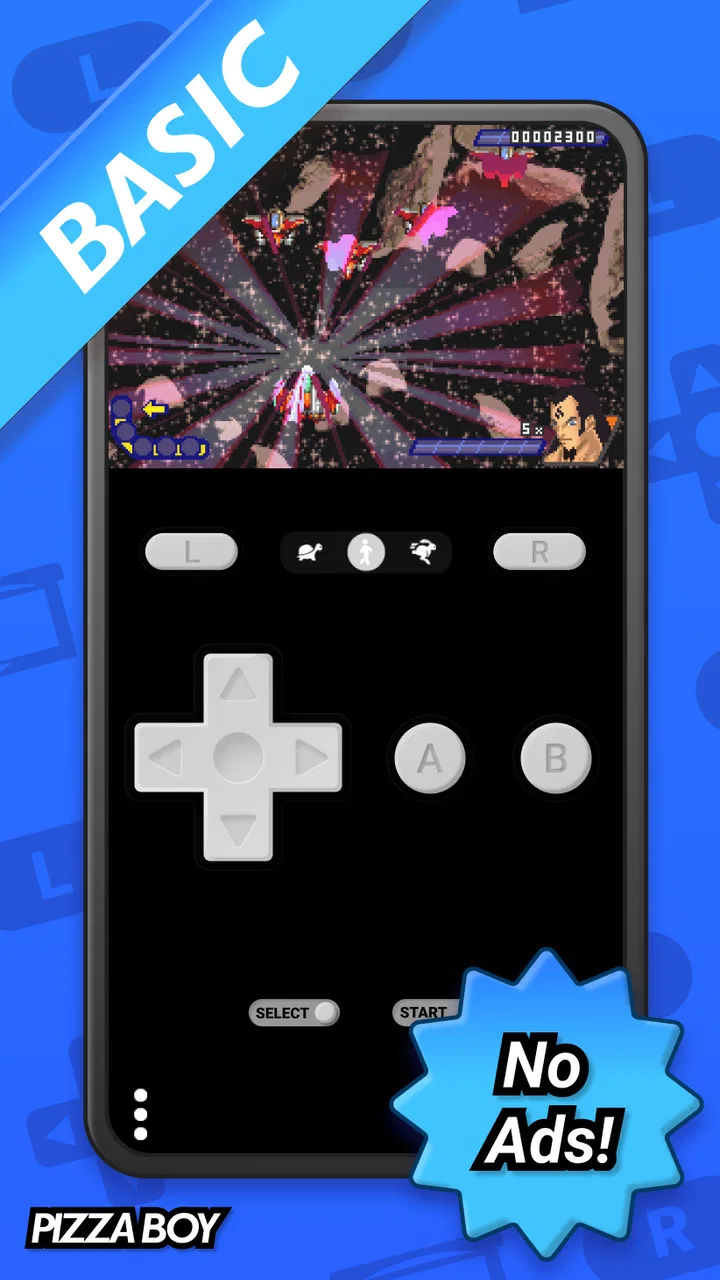
The first thing I noticed is how focused the app’s purpose is. Its store summary describes it as an easy-to-use GBA emulator, and that simplicity is the main reason I would recommend it to a beginner. Instead of treating every possible adjustment as essential, the basic path is easy to understand: open the emulator, locate a compatible game file, load it, and use the on-screen controls.
That does not mean every part is completely automatic. Your phone’s file organization still matters, and the quality of the experience depends on the game file and the device you are using. But the app does not require you to learn emulator terminology before you can begin. I could approach it as a player first and a tinkerer second.
Its arcade classification is slightly broad, since the actual experience is centered on handheld emulation rather than a single arcade game. In practical terms, think of it as a tool for playing GBA software with a phone interface. That makes it useful for short sessions, travel, waiting rooms, or revisiting one particular game without carrying original hardware.
The app is free, which lowers the risk for a first-time user. It has also built a strong audience, with an average rating of 4.9 from around forty-two thousand ratings and more than a million installs. Those figures do not guarantee that every phone or every game will feel identical, but they do suggest that the basic idea works well for many people.
Who will enjoy it most
I think it is best for someone who wants a clean starting point rather than a deep technical project. If your goal is to play a familiar handheld game during a commute, check an old save, or spend a few minutes with a classic title, the low-friction design is a real advantage. It is also a sensible choice for people who find larger emulator menus confusing.
It is less suitable if you expect the app to supply games, if you want a full multi-console solution, or if you need every advanced option available in specialist emulators. A dedicated alternative may be better for someone who constantly changes video behavior, experiments with unusual controller layouts, or wants one application covering many different systems. Pizza Boy A Basic makes more sense when GBA is the target and ease of use matters more than endless configuration.
Starting without getting lost
After installing it, I would resist the temptation to change every setting immediately. The most reliable first step is to keep your game files in a location you can recognize and then open the app’s file-selection flow. If your files are scattered across downloads, messaging apps, and cloud folders, the emulator can appear more complicated than it really is.
A small amount of preparation makes a noticeable difference. I recommend creating one clearly named folder for your legally owned GBA files before opening the emulator. That gives you a predictable place to look and makes it easier to understand what the app is asking you to select. It also avoids the common beginner mistake of repeatedly choosing files from random folders and then forgetting where anything is stored.
The operating-system requirement is Android 8.0 or later, so compatibility should be checked before installation. On a supported device, the current version is 2.3.3. I would still leave some time for a calm first setup rather than trying to configure everything while in a hurry. The app is simple, but file access and touch controls are easier to evaluate when you are not rushing.
One practical point that is easy to overlook is orientation. A GBA game was designed around a compact landscape-like handheld layout, while a phone may initially be held in a way that makes the controls feel cramped. If the buttons seem awkward, try changing how you hold the phone before deciding that the emulator is uncomfortable. A stable grip often matters more than a small visual adjustment.
Reaching the first meaningful success
For me, the first real success is not merely seeing a game open. It is reaching a playable moment, pressing several controls comfortably, and confirming that I can return to the same game without confusion. I suggest choosing a familiar title for this test rather than an unfamiliar one. Recognizing the opening screen and the first few actions makes it easier to separate emulator behavior from normal game learning.
Begin with a short check: confirm that the game loads, tap the directional controls, try the main buttons, and pause for a moment. Pay attention to whether your thumbs cover important parts of the screen or whether the phone shifts while you play. If the layout feels wrong, adjust your grip and the available control arrangement before attempting a longer session.
This is also where expectations about touch controls become important. A phone screen cannot reproduce the physical feedback of a GBA button. Platforming, menu navigation, and games that require several inputs at once may feel less precise than they did on original hardware. I found that turn-based games, role-playing adventures, puzzle titles, and slower exploration are generally easier to enjoy on a touchscreen than fast action that depends on exact timing.
That trade-off is not a failure specific to this app; it is a limitation of playing handheld software through glass. Still, it affects whether you will enjoy the experience. If a game feels frustrating, try a title with a calmer pace before concluding that the emulator itself is unsuitable. Conversely, if your favorite game relies on rapid combinations, a physical controller may be a better companion than touch input.
Confusions that can make a simple app seem difficult
The most common misunderstanding is expecting a game catalog inside the emulator. Pizza Boy A Basic is the player, not the source of the games. Once you understand that, the opening workflow is clearer: you provide a compatible file, and the app gives you the environment in which to run it. I would avoid downloading random files from unknown websites, both for legal reasons and because unreliable files can create problems that look like emulator faults.
Another confusion involves file locations. A game may be visible in a download folder but difficult to find later if the phone’s file manager sorts content differently. Keeping a dedicated folder solves much of this. If you move files after starting a session, you may also make your own library harder to manage, so consistency is more useful than constantly reorganizing.
Some new users also assume that a game failing to load automatically means the emulator is broken. Before reaching that conclusion, I would test another legally obtained compatible file and confirm that the original file is complete. This simple comparison helps identify whether the issue comes from the file, the phone, or the app. It is a better troubleshooting habit than repeatedly reinstalling without changing anything else.
Touch controls create another source of confusion. A button that feels too close to the edge may be a grip problem, a layout problem, or simply a poor match between the game and the screen. I recommend testing the controls in a safe opening area rather than judging them during a difficult battle or timed section. That gives you a fairer impression of responsiveness and comfort.
There is also a difference between wanting convenience and wanting control. A beginner may appreciate leaving most options alone, while an experienced emulator user may immediately look for deeper customization. If you fall into the second group, the Basic edition may feel intentionally restrained compared with more technical tools. That is not necessarily a disadvantage, but it is a reason to choose based on your habits rather than on the high rating alone.
How it compares with the usual alternatives
Compared with playing on original GBA hardware, this app is more convenient because the phone is already with you and the screen can be larger. The cost of entry is also lower when you already own a compatible Android device. The compromise is physical authenticity: a real handheld gives you tactile buttons, a familiar shape, and a feel that touch controls cannot fully reproduce.
Compared with a broad, multi-system emulator, Pizza Boy A Basic is easier to approach when your interest is specifically GBA. A larger emulator may be more flexible if you want to manage several console families in one place, but that flexibility can bring more menus and more opportunities to select the wrong setting. I prefer this focused option for a first-time user who wants to reach a game quickly.
Compared with unofficial game collections, this approach is more transparent about the user’s responsibility for obtaining game files. That may require an extra step, but it is also a healthier workflow. You know which files you are managing, where they are stored, and what the emulator is actually doing. For someone building a small personal library from games they already own, that clarity is worthwhile.
The app’s release history also matters in a practical way. It first appeared on June 11, 2019, and its current version is 2.3.3. I would not treat age alone as proof of quality or weakness. What matters more is whether the current app behaves properly on your particular phone and whether its control style suits the games you want to play. A well-known app can still be a poor personal fit if your preferred titles demand physical buttons.
A realistic everyday routine
Imagine that I have twenty minutes before an appointment and want to revisit a GBA role-playing game. I open the emulator, choose the file from my organized folder, and load the game instead of searching through a large multi-console library. Because I already tested the controls, I can spend the short session playing rather than troubleshooting. That is where the app’s simplicity becomes more valuable than a long list of advanced options.
For a longer evening session, I would pay more attention to comfort. Holding a phone for an extended period can make the on-screen controls tiring, especially if the game requires frequent directional input. I would use a stable surface or a compatible physical controller if available, while remembering that the emulator itself is only one part of the setup. The phone’s size, screen shape, battery condition, and grip all influence the result.
For children, the Everyone content rating makes the app broadly accessible from an age-classification perspective. Even so, I would still guide a younger player through the file-management step and explain that the emulator does not automatically provide games. That prevents the common assumption that every title they remember will appear inside the app after installation.
Small habits that improve the experience
My first useful habit is to test one game thoroughly before importing a large collection. A single successful session teaches you how the app finds files, how the controls feel, and whether your phone is comfortable for the kind of play you want. Adding dozens of files before learning that workflow only creates clutter.
My second is to separate testing from serious progress. Use a familiar game to check controls and loading, then begin an important playthrough once you are confident. This avoids discovering halfway through a favorite adventure that the button arrangement is uncomfortable or that you cannot easily find the file again.
My third is to judge the emulator by the games you actually play, not by a theoretical maximum. A slow-paced adventure may feel excellent while a rapid platformer feels tiring. That difference is useful information, not inconsistency. If most of your library depends on precise physical input, a phone emulator may never replace original hardware for you, regardless of how easy the software is to start.
I also recommend keeping your expectations modest around convenience features. The app’s appeal is the direct route from file to game, not necessarily a complete replacement for every part of a handheld ecosystem. If you want a highly customized archival setup, another tool may suit you better. If you want to play one or two GBA games without a technical learning curve, this focused design is much easier to live with.
My recommendation after using it
Pizza Boy A Basic is a strong recommendation for first-time Android emulator users who already have legitimate GBA game files and want a free, focused starting point. I like that it does not force the reader to become an emulator expert before reaching the first playable screen. The combination of a 4.9 average, roughly forty-two thousand ratings, and over one million installs reflects broad approval, while my own practical takeaway is simpler: the app gets out of the way when your goal is to play.
I would skip it if you need a one-stop library, want to emulate many systems, or strongly dislike touchscreen controls. I would also think twice if your favorite games depend on fast, repeated button combinations and you do not have a comfortable alternative input method. In those cases, original hardware or a more configurable setup may provide a better experience.
For everyone else, the best path is reassuringly concrete: install it on a device running Android 8.0 or newer, organize one legally owned compatible file, load that file, test the controls in a familiar scene, and only then build a larger library. That process gives you a meaningful answer quickly. If your priority is getting from a personal GBA file to a playable session with as little confusion as possible, this free arcade-style emulator is one I would happily suggest to a friend.
FAQs for Pizza Boy A Basic
01What is Pizza Boy A Basic?
Pizza Boy A Basic is an Android Game Boy Advance emulator designed to let you play compatible GBA titles on a modern smartphone or tablet. It focuses on accurate emulation, responsive controls, and a straightforward interface. You provide your own legally obtained game files, since the application does not normally include copyrighted games with the download.
02Does Pizza Boy A Basic include Game Boy Advance games?
No. Pizza Boy A Basic is an emulator rather than a game library, so it does not provide commercial Game Boy Advance ROMs for download. After installing it, you need to load game files that you legally own and have obtained in accordance with the laws applicable in your country. Users should also avoid downloading ROMs from unknown websites, as they may be illegal or unsafe.
03What features are available in the Basic version?
The Basic edition provides the essential tools needed for playing GBA games, including on-screen controls, save and load support, customizable input options, and compatibility with many popular titles. Some advanced functions or convenience features may be reserved for a paid or premium edition, so users who want the fullest feature set should compare the current versions before choosing which one to install.
04Will Pizza Boy A Basic work well on every Android device?
Performance depends on your device’s processor, Android version, available memory, and the particular game being emulated. On reasonably modern phones, many compatible titles should run smoothly, but older or less powerful hardware may experience slowdowns, audio problems, or control latency. The experience can also improve by closing background apps and adjusting emulator settings when necessary.
05Is Pizza Boy A Basic safe and easy to use?
When downloaded from a trusted official source, Pizza Boy A Basic is generally straightforward to install and use. You may need to grant access to the folder containing your legally owned game files, after which the emulator can scan or open them. As with any app, check requested permissions, keep Android updated, and avoid modified APK files from unofficial websites that could contain malware.
Pros
- Accurate emulation delivers smooth gameplay on a wide range of devices.
- Save states make it easy to pause and resume progress instantly.
- Customizable on-screen controls improve playability on touchscreens.
- Supports cheats for players who want extra flexibility.
- Lightweight app with modest storage and battery requirements.
Cons
- The basic edition may omit features available in paid versions.
- Touch controls can feel cramped during fast-paced games.
- Compatibility may vary with less common or heavily modified ROMs.
- Requires legally obtained ROM files; games are not included.
- Some advanced emulator settings may be confusing for beginners.

Pizza Boy A Basic
Gallery